Creator Workflow Software
In-depth reviews, side-by-side comparisons, and expert guides covering the best creator workflows for content creators.
Top Guides in This Category
What Is Creator Workflow Software?
Creator workflow software encompasses the tools that power a creator's entire production and distribution pipeline — from planning and recording through editing, publishing, and repurposing. Unlike category-specific tools (dedicated video editors or audio tools), workflow software often serves multiple stages of the production process or connects disparate tools together. Loom serves async communication and review workflows. Descript handles transcription, audio editing, and short clip generation from one interface. Riverside records remote guests at studio quality while separating audio and video tracks for flexible post-production.
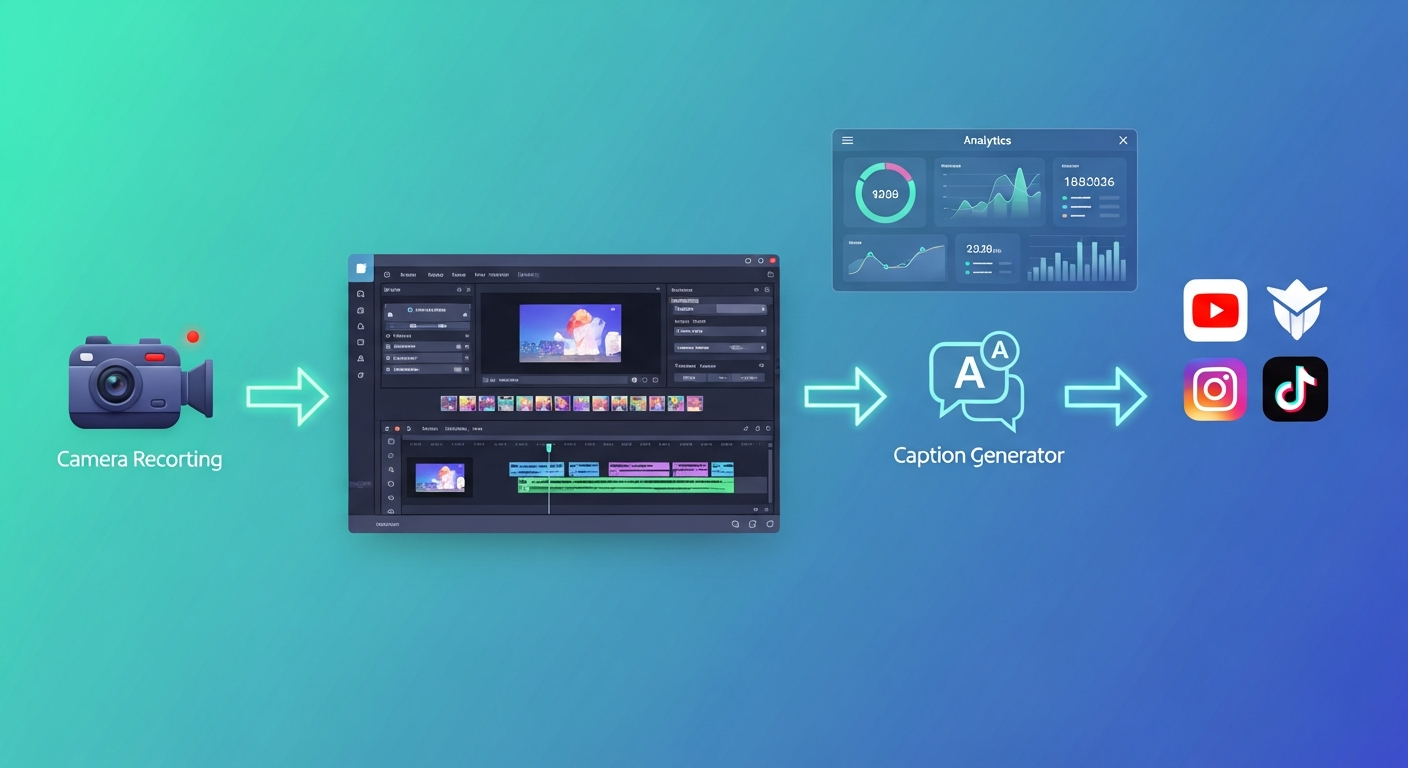
The defining characteristic of workflow tools is their focus on production efficiency rather than any single capability. A creator working alone at scale needs a system where each step — ideation, recording, editing, optimization, distribution — flows into the next with minimal friction. Workflow tools are the connective tissue of that system.
Who Benefits from Creator Workflow Tools?
- YouTubers publishing multiple times per week who need to compress production time without reducing quality
- Podcasters with interview formats needing reliable remote recording and efficient post-production
- Creator teams coordinating between multiple contributors, editors, and brand partners
- Multiplatform creators distributing content across YouTube, TikTok, Instagram, LinkedIn, and podcasts simultaneously
- Solopreneurs and coaches who create content as part of a broader marketing and revenue strategy
- Agencies managing content for multiple clients needing scalable, repeatable production processes
Key Features in Creator Workflow Tools
- Recording quality and reliability — local recording that captures high-quality audio/video regardless of network conditions
- Multi-track output — separate audio and video tracks per participant for maximum editing flexibility
- Transcription integration — built-in transcription for show notes, clips, and text-based editing workflows
- Collaboration features — review, approval, and asset sharing workflows for teams
- AI automation — automatic filler word removal, clip identification, caption generation, and show note drafts
- Publishing integrations — connections to podcast hosts, social platforms, and scheduling tools
- Template and brand consistency — consistent visual templates across all derivative content from a single source video
Building an Efficient Creator Stack
Most creators benefit from a three-layer approach to their software stack: a primary creation tool (recording and editing), a distribution and repurposing layer (short clips, captions, publishing), and a communication and collaboration layer (reviewing content with editors or brand partners). The goal is minimizing the number of tools while ensuring each layer is covered.
For solo video podcasters, the minimal effective stack might be: Riverside for recording, Descript for transcription and audio editing, Opus Clip for short clips, and a simple scheduling tool for publishing. This covers the entire workflow from recording through distribution with well-integrated, purpose-built tools at each stage.
Subscription vs. One-Time Cost Considerations
Creator tools are predominantly subscription-based, which means costs compound as your stack grows. A creator subscribing to four tools at $20/month each reaches $960 per year in software costs — meaningful for early-stage creators but reasonable for established channels where tools directly enable revenue generation. Evaluate each tool by the value it creates relative to its cost: a $25/month tool that saves 5 hours of editing per month is generating significant value even at relatively modest creator revenue levels.
- Riverside Standard: $15/month
- Descript Creator: $24/month
- Opus Clip Pro: $19/month
- Loom Business: $12.50/seat/month
Common Mistakes in Creator Workflow Design
- Adding tools reactively without thinking about how they fit together — the best stacks are designed, not accumulated
- Duplicating capabilities across tools without realizing it (multiple tools that each do transcription, for example)
- Underinvesting in the recording stage — problems introduced at recording are expensive to fix in post-production
- Building a workflow optimized for your current volume without room to scale — a workflow that works for two videos per month may collapse at eight
- Over-automating early in a career before understanding what content actually works for your audience
Future Trends in Creator Workflow
The most significant shift in creator workflows over the next two years is the emergence of AI production assistants that manage multiple workflow stages simultaneously — analyzing what's recording, suggesting clip moments in real time, generating social captions while editing is in progress, and auto-scheduling distribution across platforms. Tools like Descript are building toward this vision. The other major trend is deeper platform integration: direct publishing APIs, analytics ingestion, and audience signal feedback loops that inform content decisions at the workflow level rather than after the fact. For serious creators, investing in understanding these integrated workflow tools today positions them to adopt the more automated systems emerging over the next 12–24 months.
Featured Software in This Category
Our editors have personally tested and scored each of these tools. Ratings are based on features, ease of use, pricing value, and real-world creator workflows.
Loom
Free / $12.50/mo Business
Video messaging tool for async communication that lets you record and instantly share screen and webcam recordings.
Best for: Remote teams, async communicators, and anyone replacing long email threads with quick video messages
Descript
Free / $24/mo Creator
Revolutionary podcast and video editing software that lets you edit audio and video by editing the transcript text.
Best for: Podcasters and video creators who want to speed up editing by treating their recording like a word document
Riverside
Free / $19/mo Standard
Professional remote podcast and video recording studio that records each participant locally for uncompressed studio-quality output.
Best for: Podcast hosts, interviewers, and creators who record remote guests and need broadcast-quality audio and video
How We Review Software
Best Software Roundups
Our comprehensive best-of guides rank the top tools in each sub-category based on hands-on testing.
Best Software Stack for YouTube Creators in 2026
Every serious YouTuber needs a reliable software stack. Here are the tools our editors use daily for recording, editing, subtitles, thumbnails, and analytics.
Best Podcast Editing Software for Creators in 2026
Whether you're just starting a podcast or scaling an established show, these are the best tools for recording, editing, and producing professional audio.
Software Comparisons
Can't decide between two tools? Our head-to-head comparisons break down every key difference to help you choose.
Loom vs ScreenPal (2026): Which Screen Recorder Is Right for Your Workflow?
Loom vs ScreenPal 2026 comparison — async communication vs tutorial recording, pricing, AI features, and which tool fits your screen recording workflow.
Descript vs Otter.ai (2026): Which AI Transcription Tool Is Best for Creators?
Descript vs Otter.ai compared in 2026 — transcription accuracy, editing features, integrations, pricing, and which tool fits podcast, video, and meeting workflows.
Helpful Guides
Practical step-by-step guides to help you get the most out of your tools and make smarter purchasing decisions.
The Best Software Stack for Beginner Creators in 2026
You don't need to spend thousands on tools to create professional content. This guide builds the complete beginner creator software stack with mostly free options.
10 Common Mistakes Creators Make When Choosing Software
Avoid expensive software regret. These are the most common mistakes creators make when evaluating and buying creator tools — and how to sidestep them.
Frequently Asked Questions
Common questions about creator workflows answered by our editorial team.
Frequently Asked Questions
Common questions about this software and category.