Riverside Review 2026: Best Remote Podcast Recording Studio?
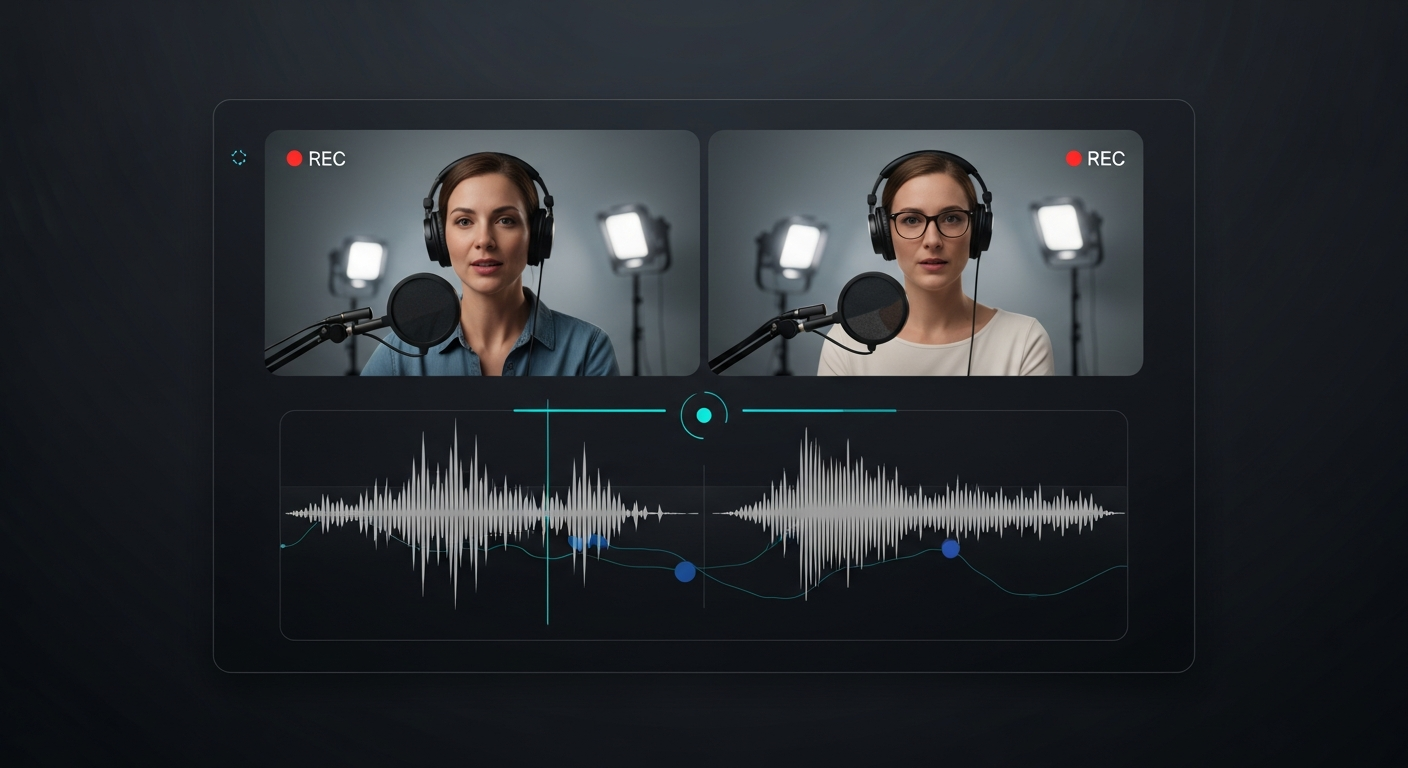
Riverside was built to solve a fundamental problem: internet connections are unpredictable, but podcast quality needs to be consistent. By recording each participant locally on their own device and uploading the lossless files after the session, Riverside ensures that a guest's spotty connection never compromises your final audio quality.

Why Trust This Review?
Our editorial team independently tests and evaluates every tool we recommend. We are not paid by software companies to write positive reviews. When you buy through our affiliate links, we may earn a commission — this never influences our ratings or recommendations. Read our editorial policy →
Related Guides & Category
Riverside is the gold standard for remote podcast recording in 2026. Its local recording approach solves the biggest problem in remote audio — the quality degradation from internet latency — and the separate track output makes post-production clean and professional. Worth every penny for serious podcast creators.
Best For
Podcast hosts, interviewers, and creators who record remote guests and need broadcast-quality audio and video
Key Features Overview
What We Like
- ✓ Local recording gives lossless audio even on bad connections
- ✓ Separate tracks per speaker for clean editing
- ✓ Live streaming and clip creation built in
- ✓ AI-powered transcription and editing
Room to Improve
- ✗ Full features require stable internet
- ✗ Can feel complex for beginners
- ✗ Higher tiers get expensive for teams
Compare Alternatives & Learn More
Why Local Recording Changes Everything
Traditional remote recording tools like Zoom capture a single compressed audio stream from the internet connection. If a guest has a weak connection mid-sentence, that degradation is baked into your recording permanently. Riverside records a separate, full-quality audio (and video) file locally on each participant's device. Even if the live call sounds choppy, the uploaded files are pristine, uncompressed recordings. For podcasters, this is the single most important technical consideration when choosing a recording platform.
Separate Tracks Per Speaker
Every participant's audio and video is saved as its own independent track. When you import a Riverside session into your editing software, you can apply noise reduction, EQ, and compression individually to each speaker without affecting the others. This is standard practice in professional podcasting and dramatically simplifies the editing process — you're not fighting bleed-through from multiple speakers on a single track.
AI Editing and Clip Creation
Riverside's AI tools have expanded significantly in 2026. The Magic Clips feature automatically identifies the most engaging moments from a long recording and generates short-form clips ready for social sharing. Auto-transcription happens in the background during the session and is ready immediately after recording ends. The AI editor lets you remove silences and filler words directly in the web interface before exporting to your main editing software.
Pricing and Plan Structure
Riverside's free plan covers 2 hours of recording per month at 720p — enough for testing but insufficient for a weekly podcast. The Standard plan at $19/month unlocks 5 hours of 4K video recording and full transcription. The Pro plan at $29/month adds unlimited recording, more cloud storage, and priority support. For high-volume studios and agencies, the Business plan offers custom pricing. Compared to Zencastr and similar tools, Riverside is priced at a premium but justified by its feature completeness.
Money-Saving Tip
Ease of Use for Non-Technical Guests
A critical factor for any remote recording tool is how easy it is for guests who aren't tech-savvy. Riverside handles this well: guests receive a simple link, click it in their browser, and they're ready to record — no downloads, no account creation. The host controls everything from the studio dashboard. In our experience, guest technical issues are rare and usually resolve within 2–3 minutes, making Riverside viable for high-profile interviews with non-technical guests.
Who Uses Riverside?
- Podcast hosts recording guests remotely with studio-quality output
- Video podcast producers needing 4K separate-track video recordings
- YouTubers conducting remote interviews for long-form content
- Business teams creating internal podcast or video content
- Journalists conducting recorded interviews with high accuracy requirements
Alternatives to Consider
Not sure this tool is the right fit? Here are the closest alternatives we've reviewed:
Video messaging tool for async communication that lets you record and instantly share scre…
Free / $12.50/mo BusinessRevolutionary podcast and video editing software that lets you edit audio and video by edi…
Free / $24/mo CreatorAffordable screen recording and video editing solution designed for educators, trainers, a…
Free / $4/mo DeluxeFinal Verdict
Riverside is the gold standard for remote podcast recording in 2026. Its local recording approach solves the biggest problem in remote audio — the quality degradation from internet latency — and the separate track output makes post-production clean and professional. Worth every penny for serious podcast creators.
Frequently Asked Questions
Common questions about this software and category.
Related Reading
Riverside
Professional remote podcast and video recording studio that records each participant locally for unc…
- Local recording gives lossless audio even on bad connections
- Separate tracks per speaker for clean editing
- Live streaming and clip creation built in
Affiliate link — we may earn a commission at no extra cost to you.