CapCut Review 2026: The Best Free Video Editor for Short-Form Creators?
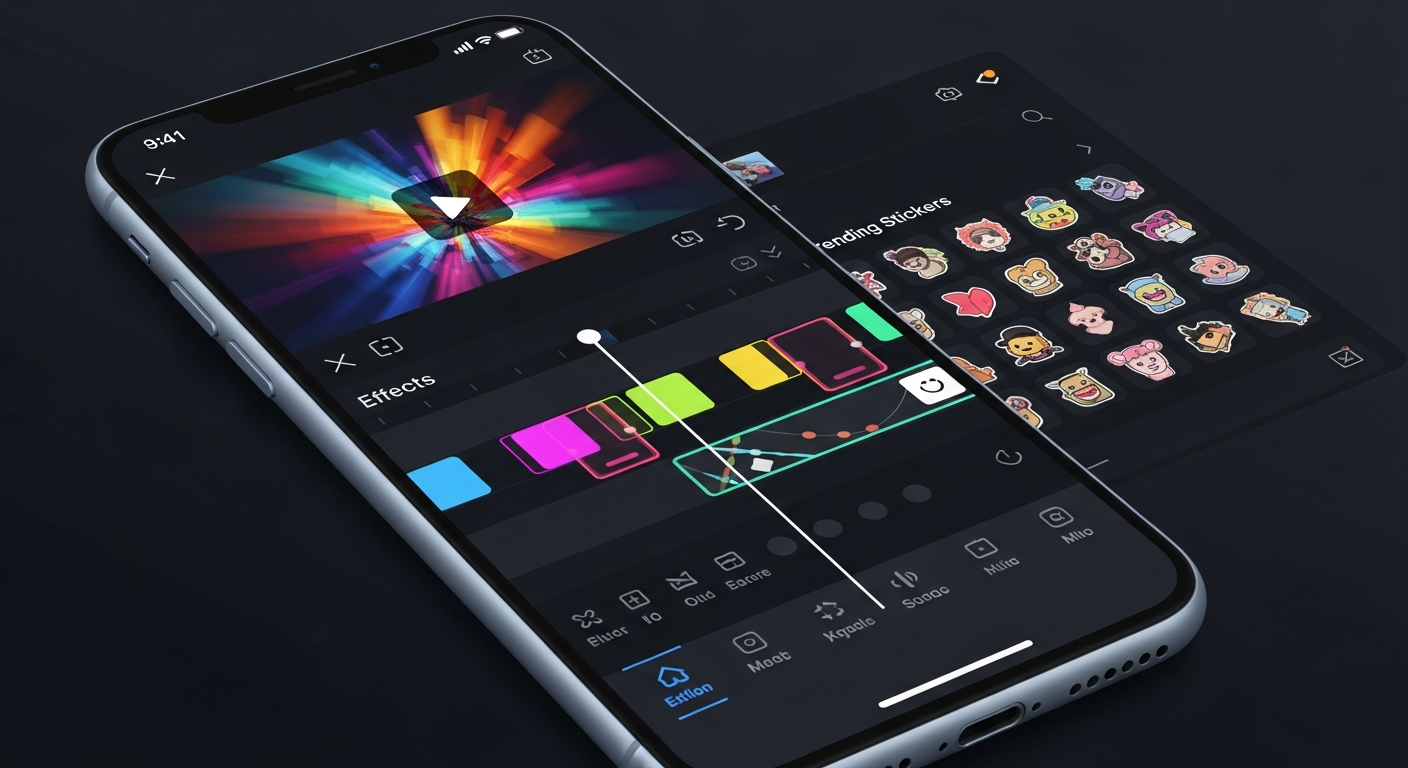
CapCut is a free video editing app developed by ByteDance (the company behind TikTok) that has become the dominant tool for short-form video creators globally. Available on iOS, Android, and desktop, it combines viral template trends with surprisingly capable AI editing features — all without charging a subscription.

Why Trust This Review?
Our editorial team independently tests and evaluates every tool we recommend. We are not paid by software companies to write positive reviews. When you buy through our affiliate links, we may earn a commission — this never influences our ratings or recommendations. Read our editorial policy →
Related Guides & Category
CapCut is the undisputed best free video editor for short-form content creators. Its combination of trending templates, fast auto-captions, and genuinely powerful AI tools — all at no cost — makes it the first recommendation for any TikTok, Reels, or Shorts creator.
Best For
Short-form video creators for TikTok, Instagram Reels, and YouTube Shorts
Key Features Overview
What We Like
- ✓ Completely free with generous feature set
- ✓ Viral trending templates updated regularly
- ✓ Auto-captions are lightning fast
- ✓ Beat sync and AI effects built-in
Room to Improve
- ✗ Less suited for long-form content
- ✗ Desktop still behind mobile in features
- ✗ Data privacy concerns for some users
Compare Alternatives & Learn More
What Is CapCut and Who Makes It?
CapCut is developed by ByteDance and was released in 2020. It grew explosively alongside TikTok's rise, as creators needed a fast, mobile-friendly tool to produce the quick-cut, caption-heavy content that performs well on the platform. Today CapCut has over 200 million monthly active users and is available as a desktop app, browser tool, and mobile app. Its tight integration with TikTok trends — new templates and sounds appear within days of going viral — is a unique competitive advantage.
AI Features That Matter for Creators
CapCut's AI tools are genuinely impressive for a free product. Auto-captions generate accurate subtitles in seconds, with style customization that matches TikTok trends. The AI background remover works reliably on clean footage. Beat sync automatically cuts your video to match the rhythm of your chosen audio track, which alone saves hours on music video content. The text-to-speech voices are natural enough for voiceover purposes on short-form content.
Pricing: Free vs Pro
CapCut's core features are completely free with no watermarks, no export limits, and no time constraints — an exceptional offering. The Pro plan at $7.99/month adds extra AI tools including AI-generated avatars, advanced green screen tools, and expanded cloud storage. For most short-form creators, the free tier is genuinely sufficient and the Pro plan is an optional enhancement rather than a necessity.
Money-Saving Tip
Ease of Use for Beginners
CapCut's mobile app is among the most intuitive video editors available — beginners consistently pick up the basics within 30 minutes. The desktop app is slightly less polished than the mobile experience but has caught up significantly. The template library means creators can start with a professionally designed layout and swap in their own footage, dramatically lowering the barrier to producing shareable content.
Limitations to Be Aware Of
CapCut is designed for short-form content under 10–15 minutes. It lacks the advanced color grading, multi-cam editing, and complex audio mixing tools needed for long-form YouTube production or professional post-production work. Some users also have data privacy concerns given ByteDance's ownership — this is a legitimate consideration for creators handling sensitive client content.
CapCut for Platforms Beyond TikTok
While CapCut was born for TikTok, it handles all vertical and horizontal formats. Many YouTube Shorts and Instagram Reels creators use it exclusively. The direct export to TikTok and Reels simplifies publishing workflow. For YouTube long-form, CapCut is better used as a companion tool for short promotional clips rather than your primary editor.
Who Uses CapCut?
- TikTok creators producing daily short-form content
- Instagram Reels creators who need trend-based templates fast
- YouTube Shorts creators repurposing long-form content
- Students and newcomers learning video editing basics
- Brand accounts creating lightweight social video
Comparing Options?
Alternatives to Consider
Not sure this tool is the right fit? Here are the closest alternatives we've reviewed:
AI-powered browser-based video creation platform with thousands of templates designed for …
Free / $20/mo BusinessCloud-based collaborative video editor that renders in the cloud, making high-quality edit…
$10/mo CreatorVideo creation within Canva's design platform, combining drag-and-drop design tools with v…
Free / $14.99/mo ProFinal Verdict
CapCut is the undisputed best free video editor for short-form content creators. Its combination of trending templates, fast auto-captions, and genuinely powerful AI tools — all at no cost — makes it the first recommendation for any TikTok, Reels, or Shorts creator.
Frequently Asked Questions
Common questions about this software and category.
Related Reading
CapCut
Free AI-powered video editor from ByteDance optimized for short-form content with trending templates…
- Completely free with generous feature set
- Viral trending templates updated regularly
- Auto-captions are lightning fast
Affiliate link — we may earn a commission at no extra cost to you.