Audacity Review 2026: Still the Best Free Audio Editor for Podcasters?
Audacity has been the go-to free audio editor since 2000. Despite its dated interface and lack of cloud features, it remains one of the most powerful free audio tools available, with a massive plugin ecosystem and professional-grade noise reduction, EQ, and multi-track capabilities.

Why Trust This Review?
Our editorial team independently tests and evaluates every tool we recommend. We are not paid by software companies to write positive reviews. When you buy through our affiliate links, we may earn a commission — this never influences our ratings or recommendations. Read our editorial policy →
Related Guides & Category
Audacity remains the best free audio editor available — its capabilities haven't changed much, but the competition hasn't matched it at zero cost either. For independent podcasters, voice-over artists, and musicians on a budget, Audacity is still the first recommendation. Modern alternatives offer better workflows, but not always better output quality.
Best For
Independent podcasters, voice-over artists, and musicians who want professional audio editing tools without any cost
Key Features Overview
What We Like
- ✓ Completely free with no watermarks or feature limits
- ✓ Huge plugin and effect ecosystem
- ✓ Multi-track mixing with professional output
- ✓ Cross-platform: Windows, Mac, Linux
Room to Improve
- ✗ Interface looks dated compared to modern tools
- ✗ No native cloud sync or collaboration
- ✗ Learning curve for complete beginners
Compare Alternatives & Learn More
Core Audio Editing Capabilities
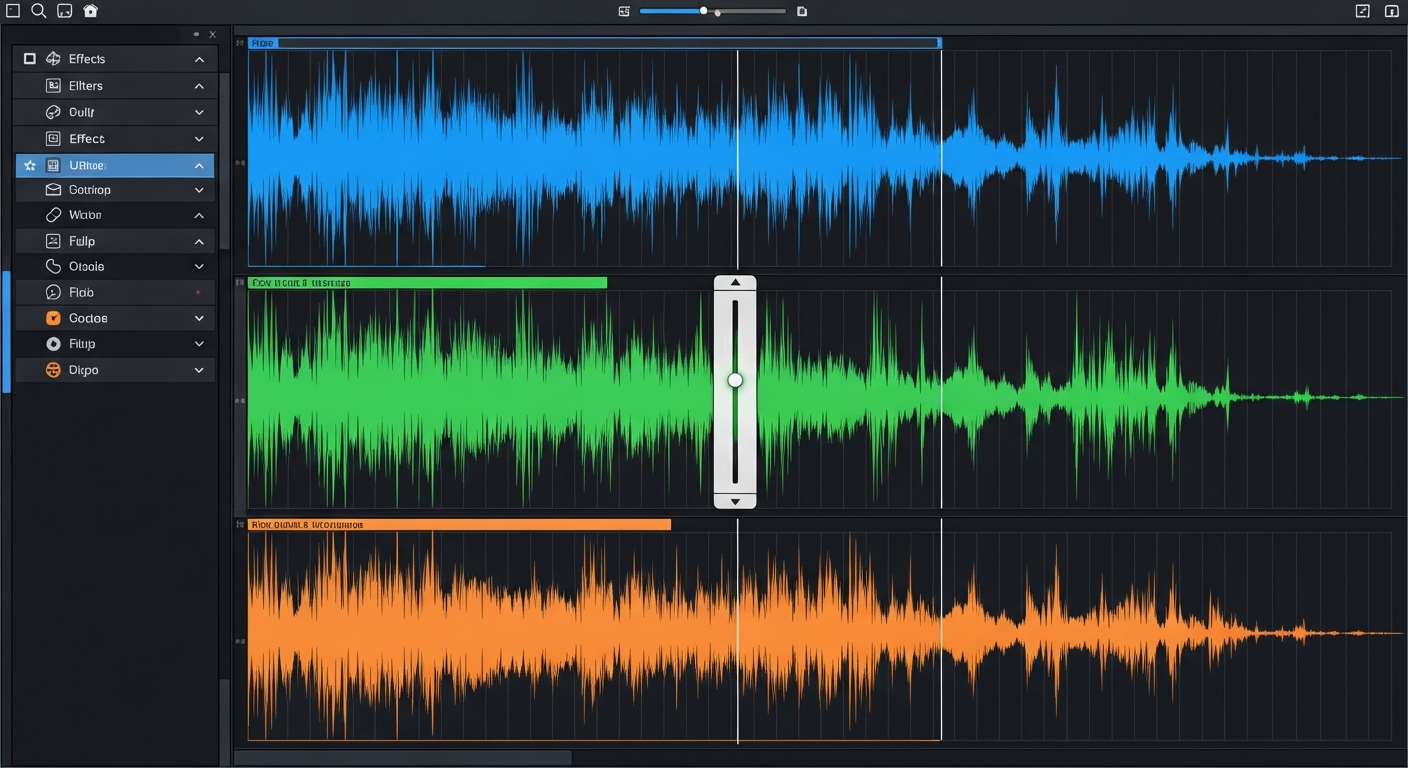
Audacity's waveform editor is battle-tested and capable. You can record directly into Audacity from any microphone, import audio files, make precise cuts and edits on the waveform, apply envelope-based volume automation, and mix up to 16 tracks simultaneously. The non-destructive editing model means your original audio is preserved until you choose to export. For basic podcast editing — cutting silences, removing mistakes, adding intros and outros — Audacity does everything needed and does it reliably.
Noise Reduction and Audio Processing
Audacity's noise reduction effect is widely considered one of the most effective in any free audio tool. The two-step process — first sampling a section of background noise, then applying the profile across the recording — consistently delivers clean results even on challenging recordings with air conditioning, fan noise, or room echo. Combined with the built-in compressor, limiter, and EQ, Audacity gives podcasters a professional audio processing chain without spending a penny.
Plugin Ecosystem
Audacity supports VST, AU, and LADSPA plugins — the same plugin standards used by professional DAWs. This means the vast ecosystem of free and paid audio plugins works directly in Audacity. Popular free plugins include the Nyquist suite (noise gates, pitch shifters, chorus effects) and the iZotope Vinyl noise effect. For podcasters and voice-over artists, free noise reduction plugins like ReaPlugs from Cockos provide additional professional processing beyond Audacity's built-in effects.
Interface and Learning Curve
Audacity's interface looks like what it is: software designed in the early 2000s and incrementally updated since. The icon-based toolbar and separate floating tool windows feel cluttered compared to modern audio tools. New users should expect a 3–5 hour investment to become comfortable with the workflow. That said, once learned, Audacity is fast — experienced users can edit a 30-minute podcast episode in 20–30 minutes. YouTube tutorials are abundant, and the Audacity community forum is responsive.
Alternatives That May Suit You Better
If Audacity's interface frustrates you, Adobe Podcast offers AI-powered noise removal in a significantly cleaner browser-based interface at no additional cost to Adobe users. Descript offers a text-based editing workflow that dramatically speeds up podcast editing for dialogue-heavy content. Hindenburg Journalist is a paid option ($120/year) designed specifically for spoken-word podcast production with a more modern interface. The choice ultimately depends on your priorities: free and powerful (Audacity), AI-enhanced but simple (Adobe Podcast), or productivity-focused (Descript).
Who Uses Audacity?
- Independent podcasters producing episodes without budget for software
- Voice-over artists recording and processing voice samples
- Musicians on a budget recording demos and home recordings
- Educators creating audio-only lessons and educational recordings
- Audio restoration professionals digitizing old recordings
Comparing Options?
Alternatives to Consider
Not sure this tool is the right fit? Here are the closest alternatives we've reviewed:
AI-powered browser-based podcast recording and editing tool that automatically enhances sp…
Free with Adobe account / Included in Creative CloudRevolutionary podcast and video editing software that lets you edit audio and video by edi…
Free / $24/mo CreatorProfessional remote podcast and video recording studio that records each participant local…
Free / $19/mo StandardFinal Verdict
Audacity remains the best free audio editor available — its capabilities haven't changed much, but the competition hasn't matched it at zero cost either. For independent podcasters, voice-over artists, and musicians on a budget, Audacity is still the first recommendation. Modern alternatives offer better workflows, but not always better output quality.
Frequently Asked Questions
Common questions about this software and category.
Related Reading
Audacity
Free open-source multi-track audio editor trusted by podcasters, musicians, and audio creators for o…
- Completely free with no watermarks or feature limits
- Huge plugin and effect ecosystem
- Multi-track mixing with professional output
Affiliate link — we may earn a commission at no extra cost to you.