VEED.IO Review 2026: The Best Tool for Auto-Subtitles and Captions?
VEED.IO has built its reputation on one core capability: making subtitles and captions fast, accurate, and easy. But it's grown into a capable all-round browser-based video editor that serves creators, educators, and businesses who want professional results without a professional's learning curve.

Why Trust This Review?
Our editorial team independently tests and evaluates every tool we recommend. We are not paid by software companies to write positive reviews. When you buy through our affiliate links, we may earn a commission — this never influences our ratings or recommendations. Read our editorial policy →
Related Guides & Category
VEED.IO is our top recommendation for creators who need accurate auto-subtitles and a frictionless browser-based editing experience. Its subtitle translation and clean interface make it exceptional value for anyone producing multilingual or accessible video content.
Best For
Creators who need fast subtitle, caption, and transcription editing without downloading software
Key Features Overview
What We Like
- ✓ Best-in-class auto-subtitles
- ✓ Intuitive interface for all skill levels
- ✓ Collaboration via shared project links
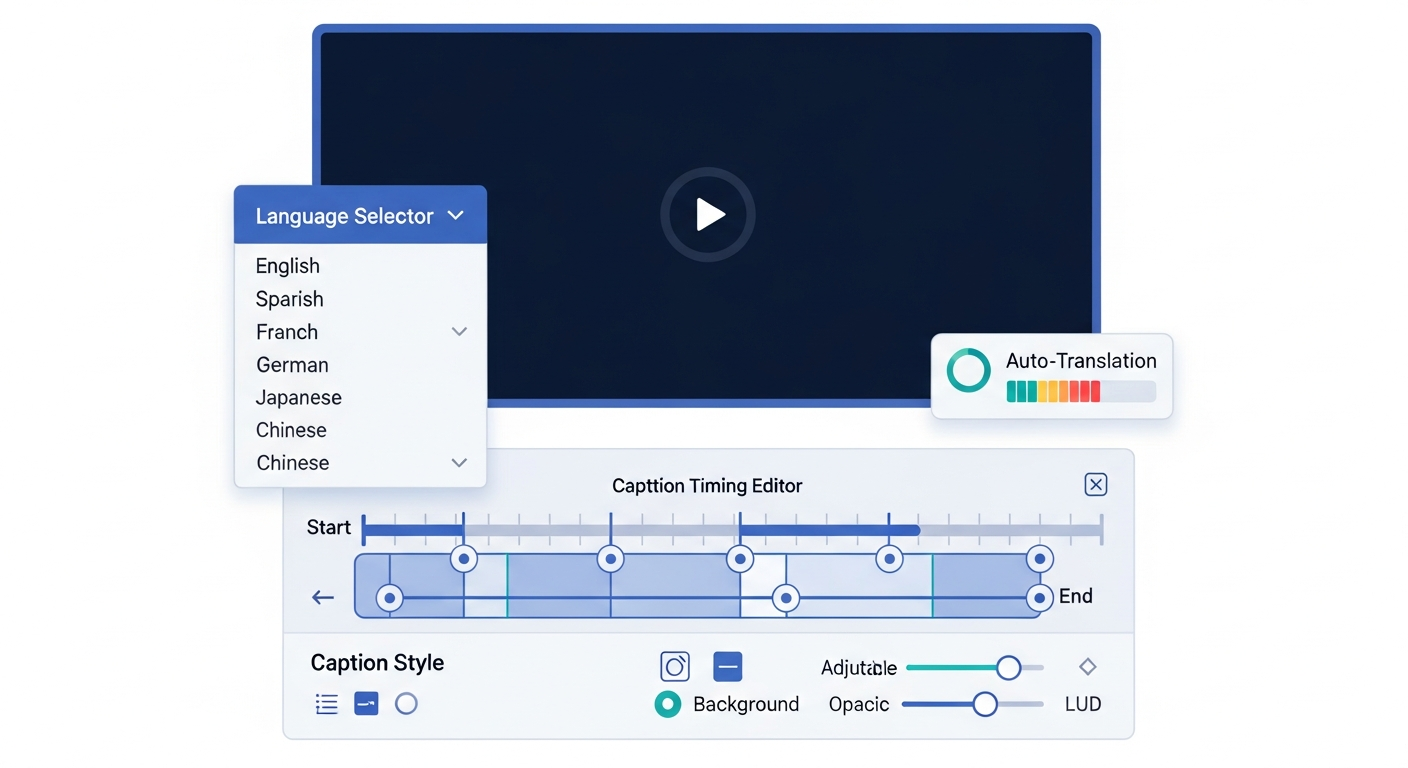
- ✓ Auto-translate captions to 100+ languages
Room to Improve
- ✗ Export limited to 720p on free plan
- ✗ Slow with large video files
- ✗ Limited color grading tools
Compare Alternatives & Learn More
What Is VEED.IO?
VEED.IO is a browser-based video editing and subtitling platform founded in 2018. It started as a tool focused almost entirely on automatic subtitles but has expanded into a broader video editor with trimming, screen recording, translation, and collaboration features. The platform is used by individual creators, educators, and enterprise teams at companies like Microsoft and the BBC.
Auto-Subtitle Accuracy: VEED's Killer Feature
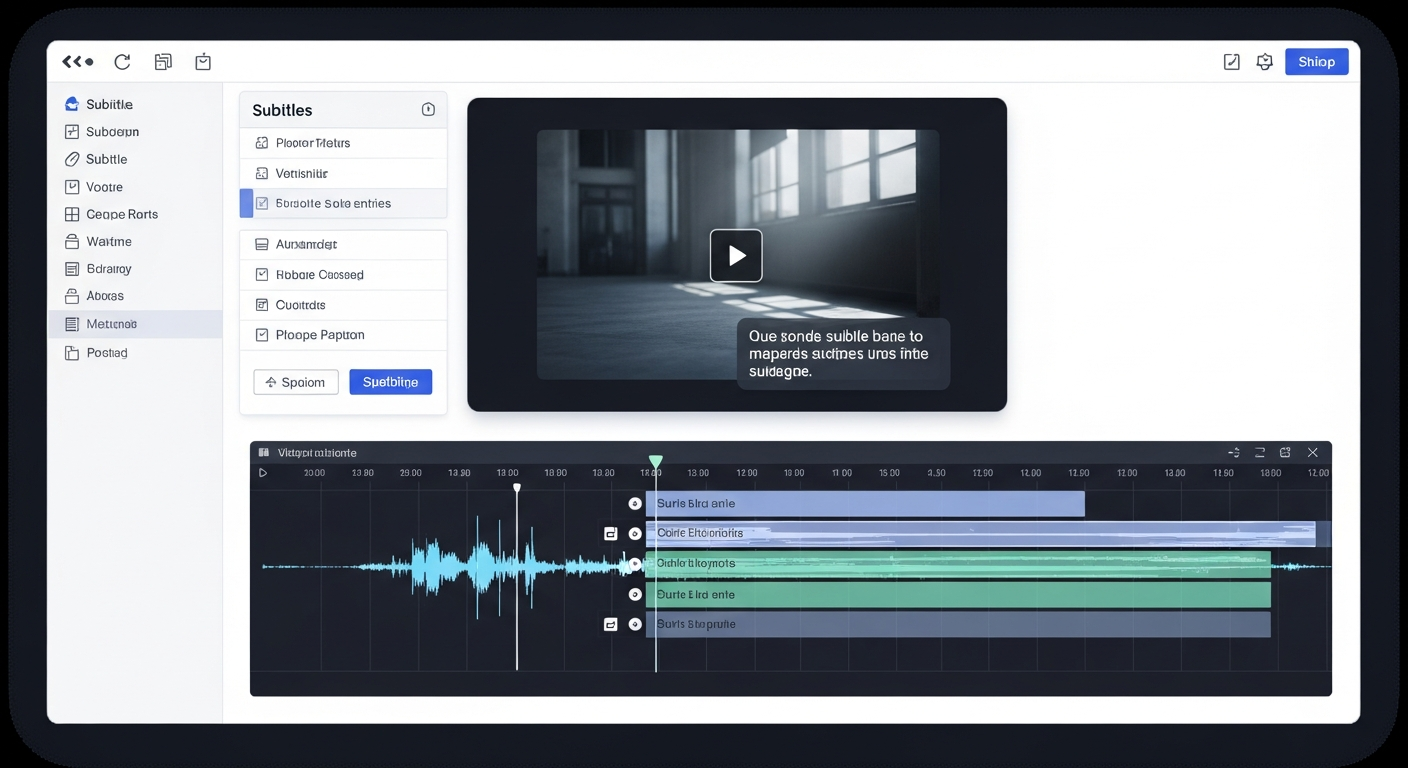
VEED's automatic subtitle generation is genuinely among the best in its class. In our testing with a variety of accents, technical vocabulary, and background noise levels, VEED achieved over 97% word accuracy — comparable to dedicated transcription tools. The subtitle editor is intuitive, with inline editing that lets you click any word in the transcript to jump to that moment in the timeline. For any creator publishing with captions, this feature alone justifies the subscription.
Pricing Overview
VEED's free plan allows you to create and export videos up to 10 minutes at 720p with a VEED watermark — fine for testing but limiting for professional use. The Pro plan at $18/month per user removes watermarks, enables 1080p exports, and unlocks auto-translation to 100+ languages. Business and Enterprise tiers add team features and priority support. Compared to standalone transcription tools plus a video editor, VEED's combined offering is cost-effective.
Money-Saving Tip
Ease of Use
VEED's interface is clean and immediately intuitive — there's no onboarding friction. Uploading a video, generating subtitles, and exporting takes under 5 minutes for most straightforward projects. The dual-panel layout shows your video timeline below and your subtitle transcript on the right, making simultaneous editing of both simple. Non-technical users consistently rate VEED as one of the easiest video tools they've used.
Performance and Reliability
VEED handles files up to 4GB on paid plans and processes standard 10–15 minute videos for subtitles in under 3 minutes. Export times vary but 1080p exports of under 10 minutes typically complete in 2–5 minutes. We encountered no crashes or data loss during testing, and project auto-save prevents work from being lost in browser refresh events.
When VEED May Not Be the Right Fit
VEED is not a replacement for professional desktop video editing. It lacks advanced color grading, multi-cam editing, or visual effects compositing. For creators with complex timelines, large file sizes above 4GB, or who need 4K exports, desktop editors like DaVinci Resolve or Adobe Premiere are more appropriate. VEED is best treated as a productivity layer for quick, polished, accessible video content.
Who Uses VEED.IO?
- YouTubers adding accessibility captions to all published videos
- Course creators translating video content into multiple languages
- HR and learning teams creating internal training videos
- Social media managers adding styled subtitles to branded content
- Journalists and researchers generating searchable transcripts
Comparing Options?
Alternatives to Consider
Not sure this tool is the right fit? Here are the closest alternatives we've reviewed:
Free AI-powered video editor from ByteDance optimized for short-form content with trending…
Free / $7.99/mo ProRevolutionary podcast and video editing software that lets you edit audio and video by edi…
Free / $24/mo CreatorAI-powered browser-based video creation platform with thousands of templates designed for …
Free / $20/mo BusinessFinal Verdict
VEED.IO is our top recommendation for creators who need accurate auto-subtitles and a frictionless browser-based editing experience. Its subtitle translation and clean interface make it exceptional value for anyone producing multilingual or accessible video content.
Frequently Asked Questions
Common questions about this software and category.
Related Reading
VEED.IO
Browser-based video editor best known for its industry-leading auto-subtitle generation and clean, a…
- Best-in-class auto-subtitles
- Intuitive interface for all skill levels
- Collaboration via shared project links
Affiliate link — we may earn a commission at no extra cost to you.